The first release: Time & Expenses
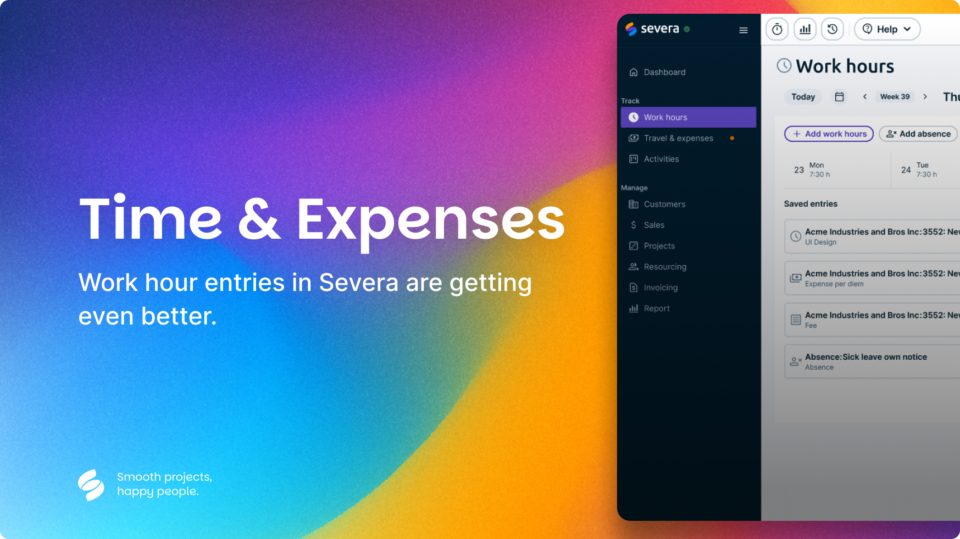
Time & Expenses (Day view)
We’re excited to roll out the very first part of Severa’s new Beta Experience – starting with Time & Expenses. Designed with clarity, speed, and daily usability in mind, this initial release gives you everything you need to track your workday without the clutter.
What’s in the new Time & Expenses view?
- Add work hours & absences
Log your hours and absences directly in the daily view. - Edit & delete entries
Made a mistake? Adjust it easily with inline editing. - Navigate weekdays
Move between days to track your week — fast and fluid. - Copy previous day
Speed things up by duplicating yesterday’s hours or absences. - See total flex time
Instantly see your flex time for the selected day. - Mark day as done
One click to mark your workday complete — and move on.
You’ll also see a clear status message if;
- Your hours are already approved or invoiced.
- Your work contract is missing.
- The period is locked for edits.
Features in this release are mostly already existing functionalities in the current Severa, but built & designed better.
A fresh look & feel
This release also introduces a redesigned Severa UI, aimed at modernizing and simplifying your experience:
- New color palette for improved visual clarity and brand consistency
- Updated fonts for better readability
- Cleaner navigation menu for faster access to key views
- Accessible improvements for making Severa lovable for everyone
- Overall modern feel — fresh spacing, simplified elements, and reduced visual noise
More detailed go-through of our updated visuals will be shared in the following release notes.
Why this matters?
This Beta version isn’t just a redesign. It’s a cleaner, faster, and more focused way to manage your day — one that lays the foundation for the full Time & Expenses experience. We’ve kept only what’s essential so that you can work quicker and smarter.