Ask your AI assistant. Get things done in Severa.

Severa MCP

Connect Severa to the AI assistant you already use. Ask about your projects, logged hours and team availability in your own words. Your assistant can also help you log time and update project details, with your approval.

Severa MCP is currently being piloted with selected customers.
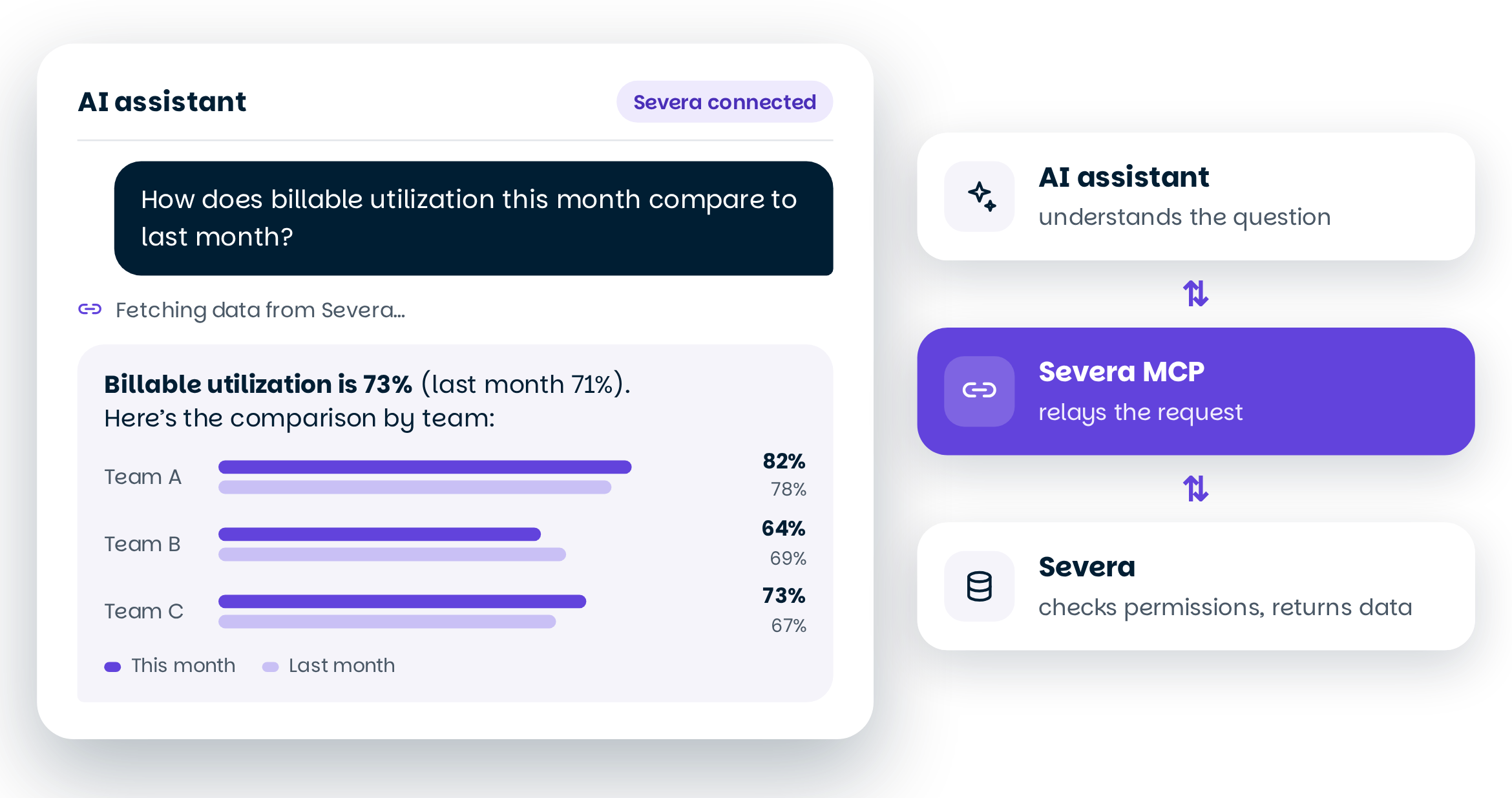
An AI assistant retrieves data from Severa through Severa MCP and shows a comparison of team billable utilisation rates

What is Severa MCP?

The connection between Severa and your AI assistant

Severa MCP (Model Context Protocol) lets your AI assistant retrieve information and carry out actions in Severa. You ask in your own words, and the assistant uses the connection to help you.

Your AI assistant handles the conversation

You use an assistant such as Claude, Microsoft 365 Copilot or GitHub Copilot. It interprets your requests and prepares the responses. Severa MCP doesn’t run its own AI model.

Your existing access rights apply

Your assistant can only access the information you’re allowed to see in Severa. Your permissions are checked with every request.

Built with our customers

Severa MCP is in pilot, and we’re developing it together with our customers. Pilot feedback guides what we build next.

Severa MCP connects Severa to the AI assistant you already have open. You ask about your projects, hours and staffing in plain words – and the assistant can also do the work. You see changes before they’re saved.

Rasmus Pohjoiskoski – Product Manager, Severa

What can you do with Severa MCP?

From proposal to project

Give the assistant a proposal, and it sets up the project in Severa with phases, hours and dates. No forms, no retyping.

Hours logged in seconds

Ask how many hours you logged yesterday, and ask the assistant to log today’s hours to the same project. It shows you the entry, you check it, and it’s saved.

Plan your team’s time

Ask who is available, allocate time to projects and check existing plans. No need to remember every allocation yourself.

The full picture with one question

Ask about projects, hours and resourcing in plain words. Get the answer without compiling reports by hand.

Want to see how it works?

A month of hours in a minute

Forgot to log your hours? Ask Claude which projects you were allocated to. Severa MCP fetches the data from Severa, Claude suggests the entries, and you approve them.

You can use the assistant in your own language too, such as Finnish, Swedish or Norwegian. Hours are logged in Severa the same way, whatever language you use.

1

Ask

“I forgot to log my hours for August. Which projects was I supposed to work on?”

2

The assistant fetches the data

Claude shows your allocated and already logged hours from Severa.

3

Say how to log them

Claude calculates the entries and takes public holidays into account.

4

Approve

You check the suggestion, and the hours are saved in Severa.

Want to read more?

What if you could ask your AI assistant for your project data directly? Severa Product Manager Rasmus Pohjoiskoski explains how Severa MCP works, what you can do with it and how data access stays under control. Read how the AI assistant and Severa share the work, and where to start with AI.

Frequently asked questions about Severa MCP

  • What is Severa MCP?
    Severa MCP is a connection that links Severa to your AI assistant. It lets the assistant retrieve data from Severa and help you make entries and changes.
  • What’s the difference between Severa MCP and Severa AI?
    Severa AI refers to AI features built directly into Severa. The first of them, time entry suggestions, is already in pilot. Severa MCP, on the other hand, connects Severa to your own AI assistant, such as Claude or Copilot, so you can use Severa data where you already work. Both share the same goal: less routine work and more time for the work that matters.
  • Is Severa MCP an AI agent?
    No. The conversation and reasoning happen in the AI tool you use, such as Claude or Copilot. Severa MCP doesn’t contain its own AI model. It works as a connection to Severa’s data and functions.
  • Which AI assistants can I use?
    You can connect Severa MCP to, for example, Claude, Microsoft 365 Copilot or an AI agent your company has built itself, such as one made with Copilot Studio.
  • What can the assistant do in Severa?
    The assistant can retrieve data and, for example, add and edit time entries, activities and travel expenses. It can also make certain changes to projects, phases and resourcing, and close projects. Deleting data isn’t possible.
  • How do I approve changes?
    For time entries, activities and travel expenses, Severa shows the proposed details and asks for your approval in AI applications that support this feature. For other changes, confirmation is handled by the AI tool you use. Always review the details before approving.
  • Who can access Severa data?
    The assistant never gets wider access rights than you have yourself. The connection uses your own Severa account, so if you can’t see certain data in Severa, you can’t retrieve it through the assistant either.
  • Can access be limited to some users only?
    During the pilot, Severa MCP is enabled for the whole organisation. The option to limit access by user is coming later.
  • When will Severa MCP be available to everyone?
    Severa MCP is now in pilot with selected customers, and the goal is to make it more widely available later. We’ll update this page as development progresses.

Like being among the first?

Would you like to help develop Severa?

As a user panel member, you can share your views directly with product development and take part in interviews, testing and workshops.